

How to effectively complete tasks related to working with data stores from a backend developer's perspective, using Rider.

Fedor Kiselev
Teamlead
Most developers work with databases through dedicated tools: some prefer SQL Server Management Studio (SSMS), others go for DBeaver or pgAdmin. Rider is usually seen as a .NET IDE and nothing more, so many people overlook the fact that it handles backend database work perfectly well too.
Why bother? First, convenience: everything stays in one IDE, so you don’t have to jump between windows. Second, Rider is surprisingly versatile. It connects to ClickHouse, Elasticsearch, and Redis, works with both SQL and NoSQL databases, suggests queries as you type, builds execution plans, and can even profile queries while you develop. And most importantly, it has a few “killer features” that really do save time and help you avoid mistakes in production.
In this article, I’ll cover five areas:
1. Setting up connections and managing environments.
2. Viewing and editing data in a grid.
3. Consoles, queries, and profiling.
4. Performance and resource consumption.
5. Limitations.
Everything described here applies to Rider 2026.1.4.
The idea is simple: Rider lets you keep almost everything related to data storage in one place. That includes not only the usual relational databases (MS SQL, PostgreSQL, MySQL), but also ClickHouse, Elasticsearch, and key-value stores like Redis. If your team already uses Rider as its main IDE,that means less context switching and the same set of tools for everyone.
Instead of keeping a separate client for every database, you work in one interface. And in my experience, Rider has quite a few features here that more traditional tools simply don’t have.
The first step is setting up connections. It sounds like routine, but even here Rider has a few pleasant surprises.
Color-coding for environments. On the main connection settings tab, you can assign a color to each database.
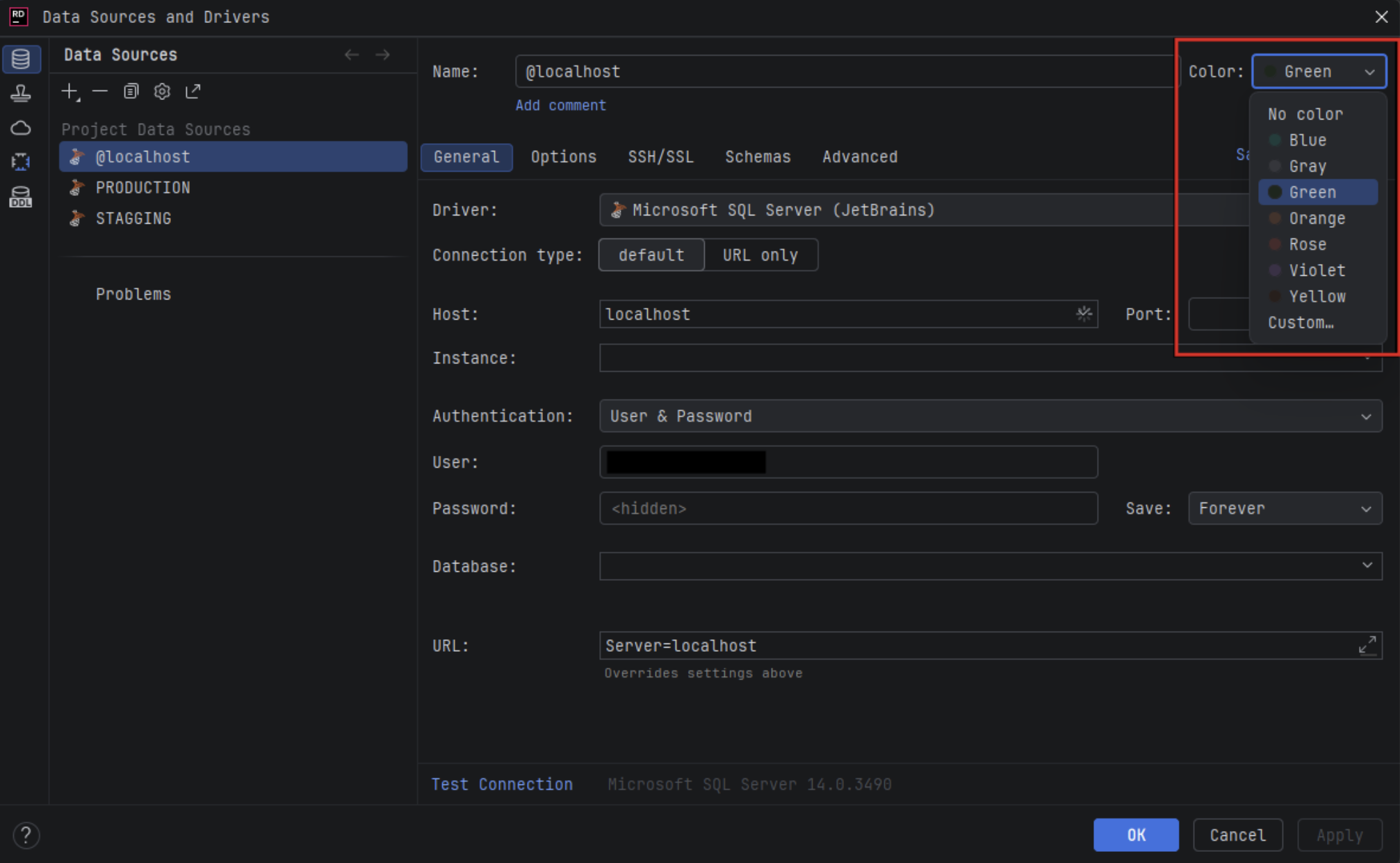
For example: green for local, yellow for staging, and red for production.
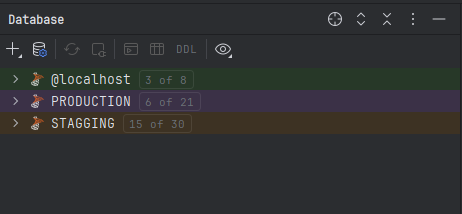
The top bar of the tab takes on that color, so you can see at a glance where you’re working. A small detail, but a great safeguard against costly mistakes.


Read-only mode. Connecting to a production database? Just turn this setting on, and the IDE will block any query that modifies or deletes data, whether it comes from the editor or from a script.
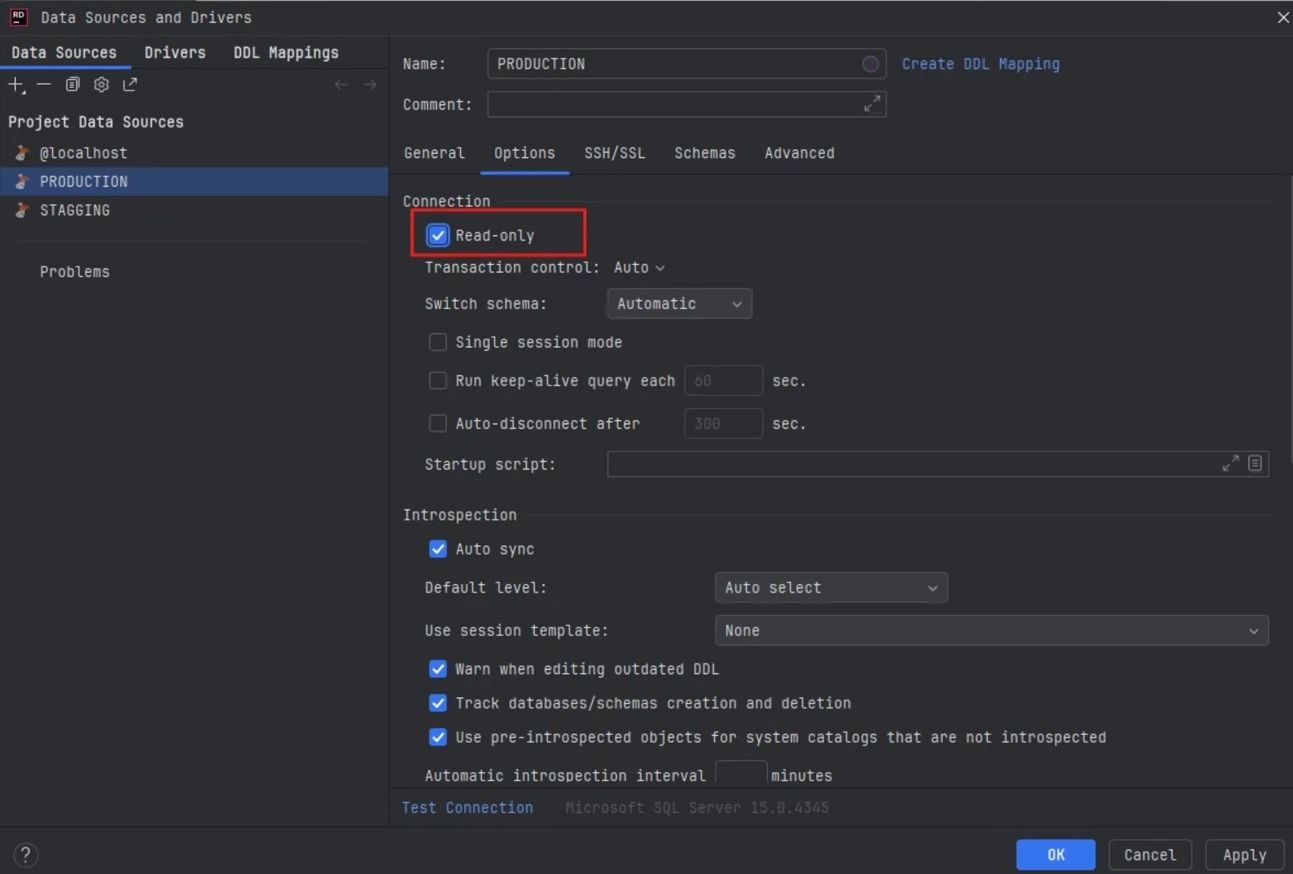
Even if you accidentally run an UPDATE or DROP, Rider simply won’t execute it.

Advanced connection settings. On the “Advanced” tab, besides the basic parameters, you can configure things like the command timeout. This comes in handy for heavy scripts that might not finish within the default time limit.
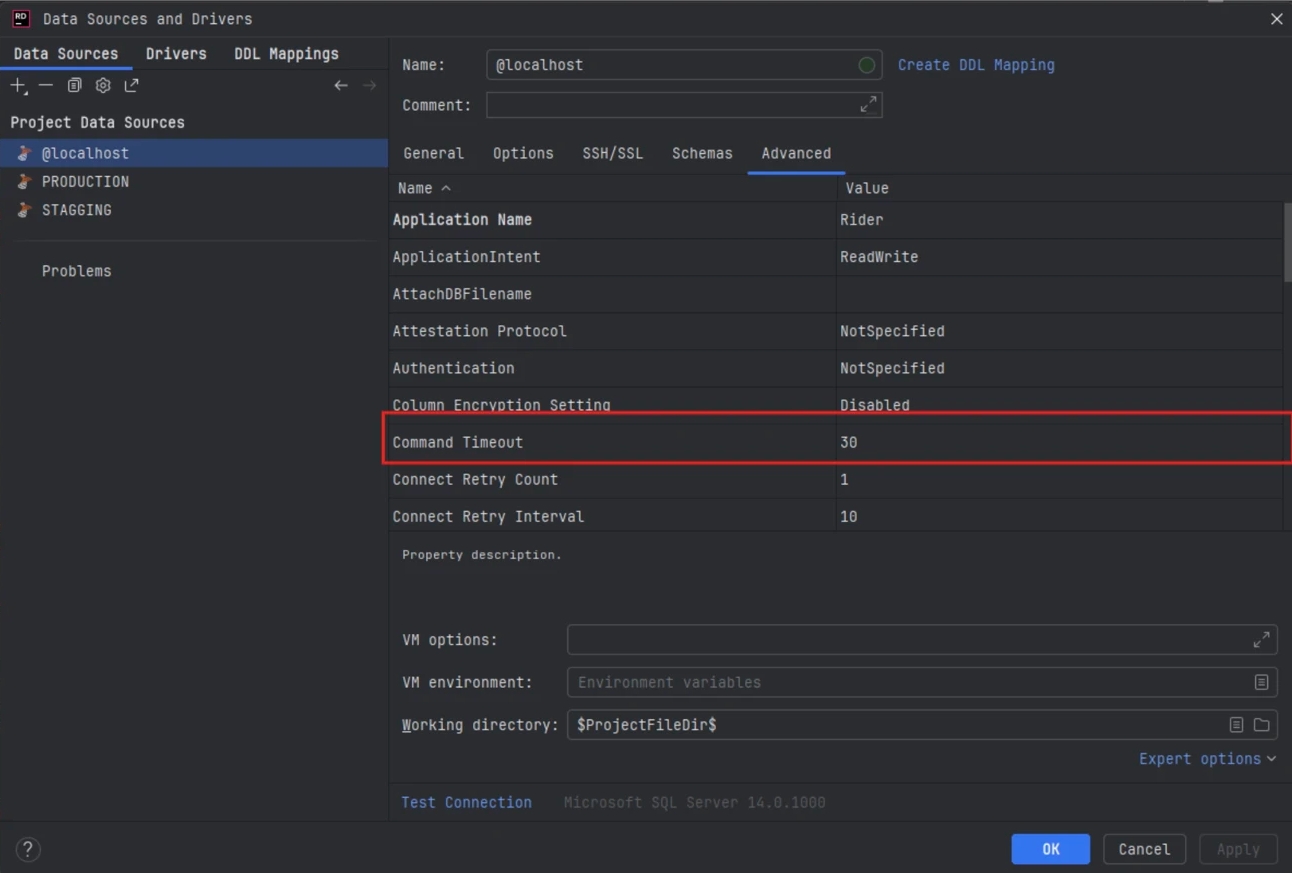
Filtering schemas and databases. Rider lets you show only the databases and schemas you actually need. This is especially useful when a project is split into contexts: you no longer have to scroll through an endless list of tables.
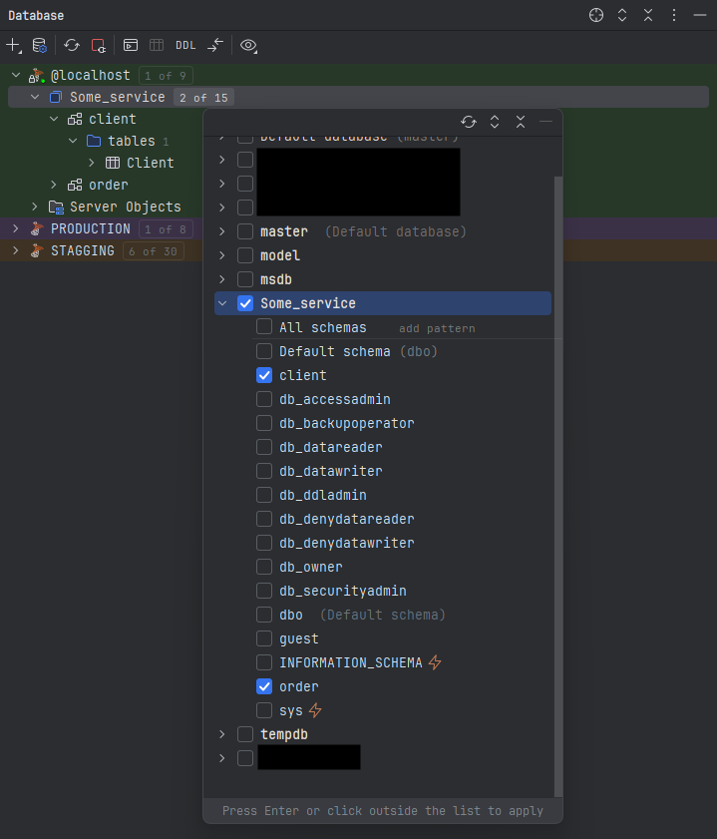
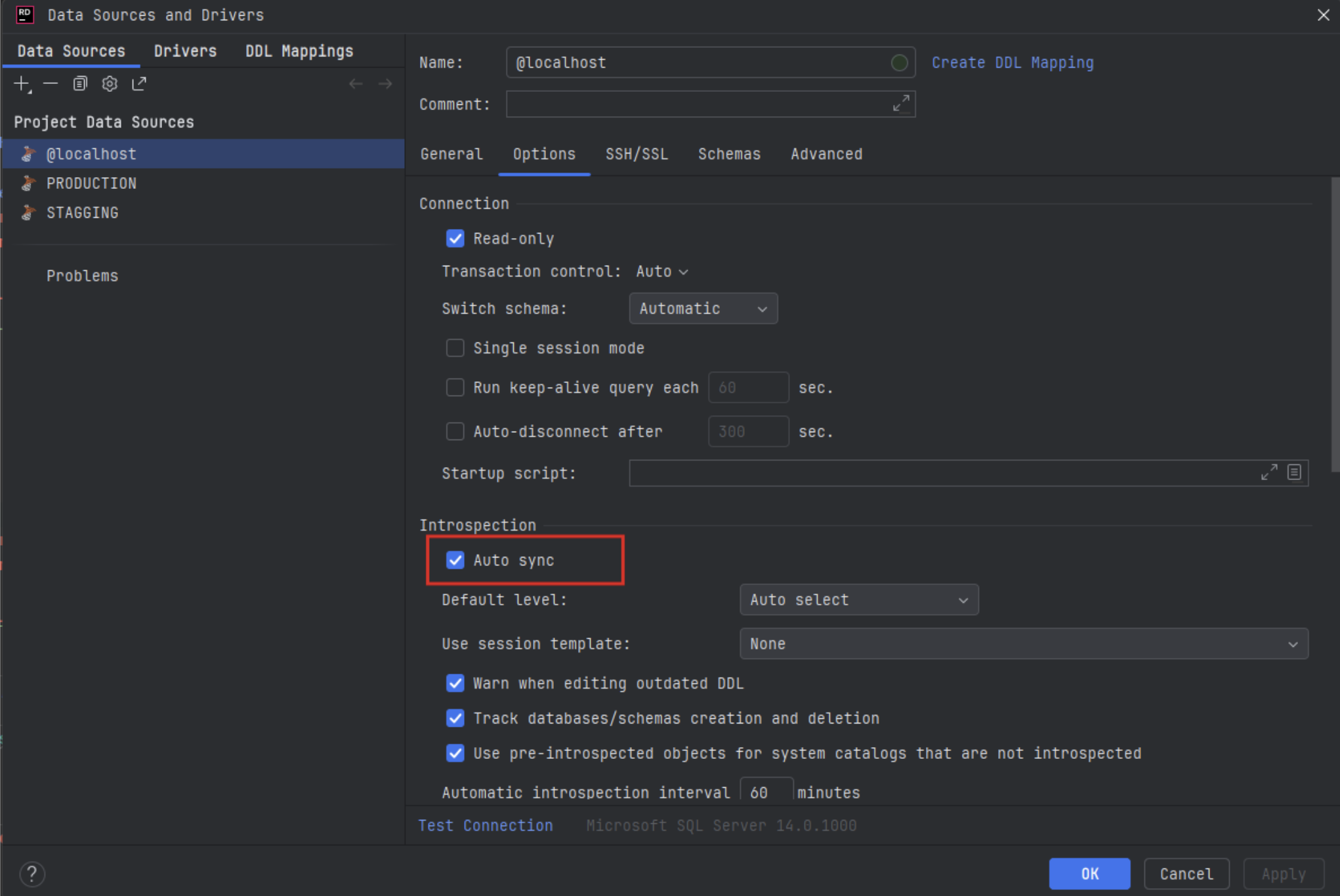
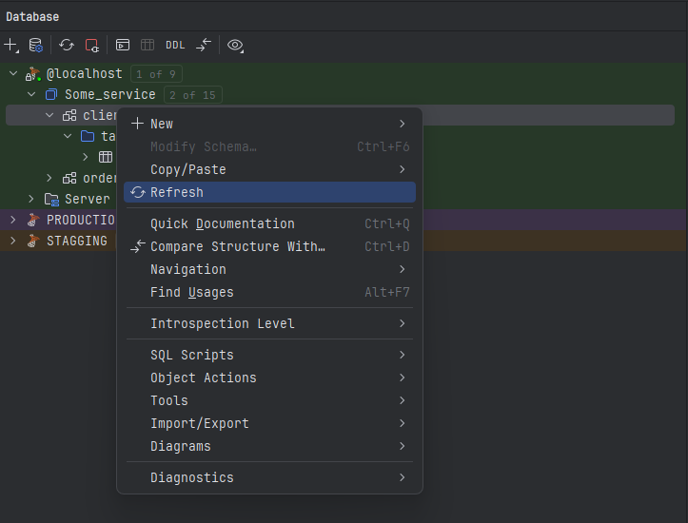
Automatic and manual refresh. The IDE refreshes the object tree on its own from time to time, but you can also refresh it manually whenever you need to. No more “magic key combinations” like in SSMS.
You can refresh the whole database, a single schema, or just one table.
These settings alone solve half of the typical problems you run into with production databases, from accidentally deleting data to simply wasting time re-syncing the schema after migrations.
In SSMS, you have to choose between “Select Top 1000 Rows” and “Edit Top 200 Rows”. In Rider, you just double-click any table to open it.
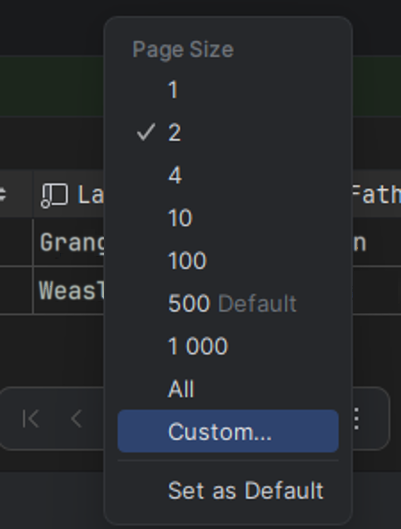
Pagination is on by default. Rider never loads a whole table at once: the default page size is 500 rows, and you can change it or turn the limit off completely. I wouldn’t recommend the latter, though. Try loading millions of rows in one go, and the IDE will quickly eat up all the memory it has.

Filter history. You get IntelliSense in every `WHERE` and `ORDER BY` filter, and the expressions you type are saved. If you often use the same conditions, just pick them from the history and apply them again.
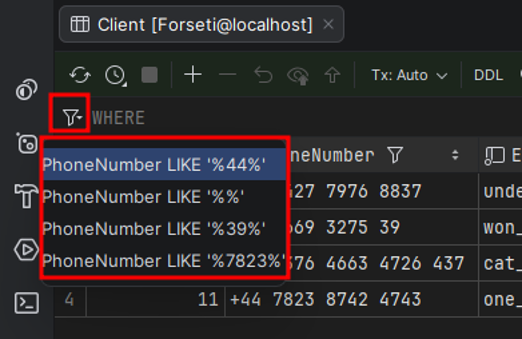
Keep in mind that this filter and sort history only lives until you close the IDE, i.e., for the current session.
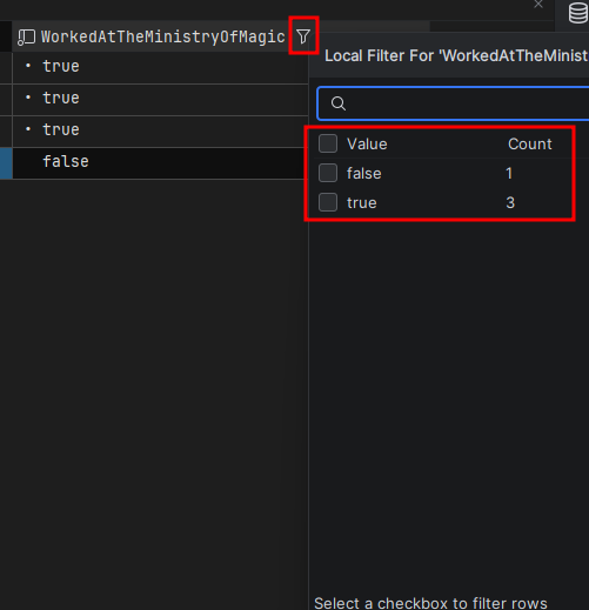
Quick filtering and value distribution. Within the current page, you can filter by specific values and even see a mini-distribution (for example, how many rows there are for each status). It’s a handy way to do some quick ad-hoc-analysis without writing a query.
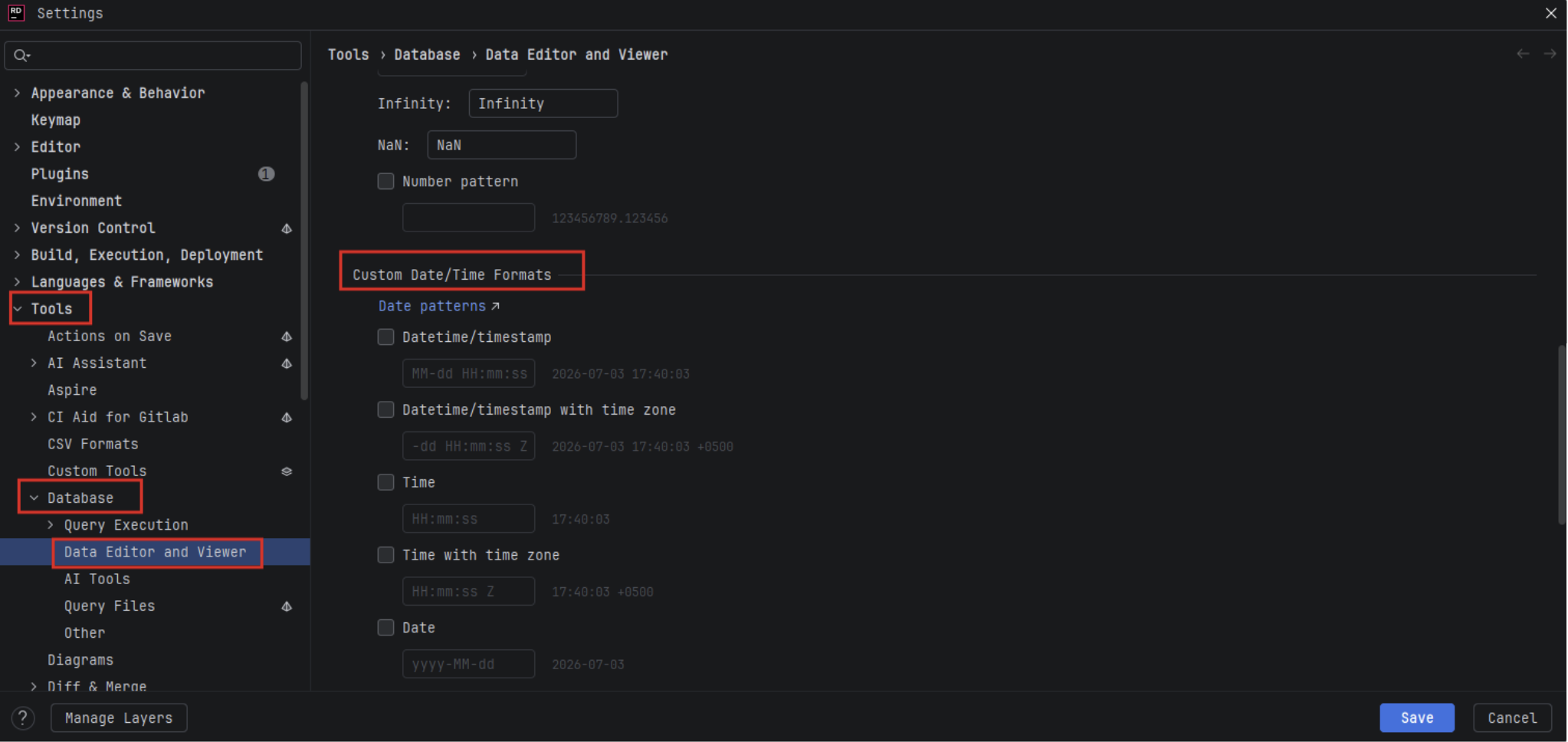
Customizable formats. If you want, you can change the display format for each data type in the settings.
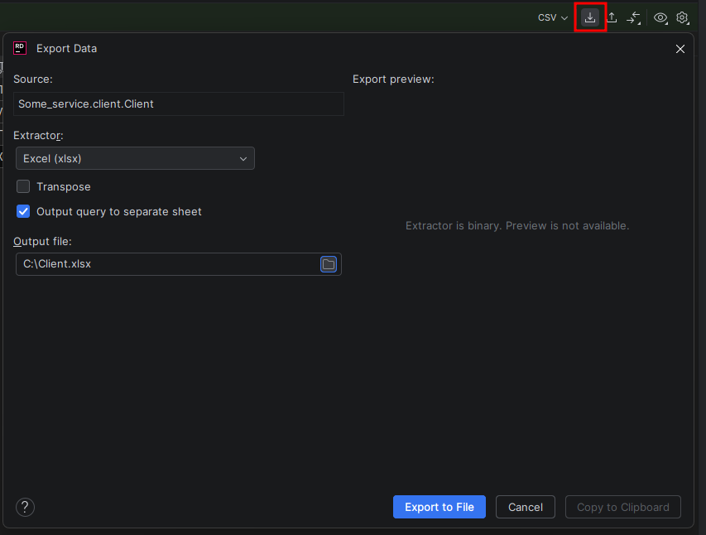
Export to Excel and CSV. All the usual options are there: with or without headers, with different delimiters. You can copy the data straight to the clipboard or save it to a file.
Alternative views. Besides the standard table, there’s a tree view and a plain-text output. You won’t need them often, but they can come in handy.
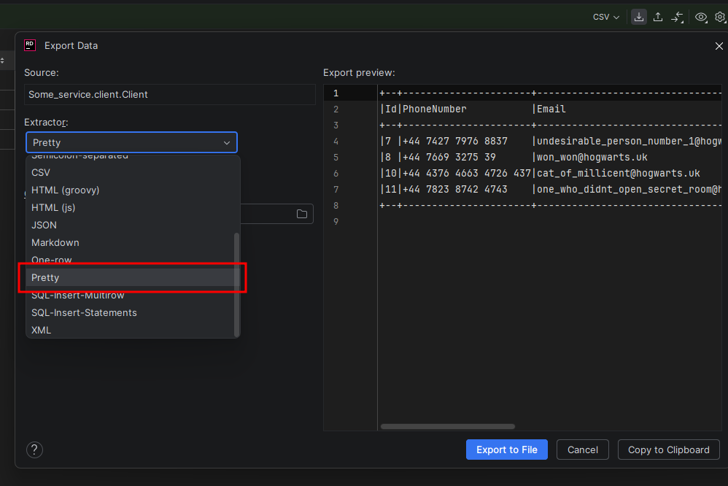
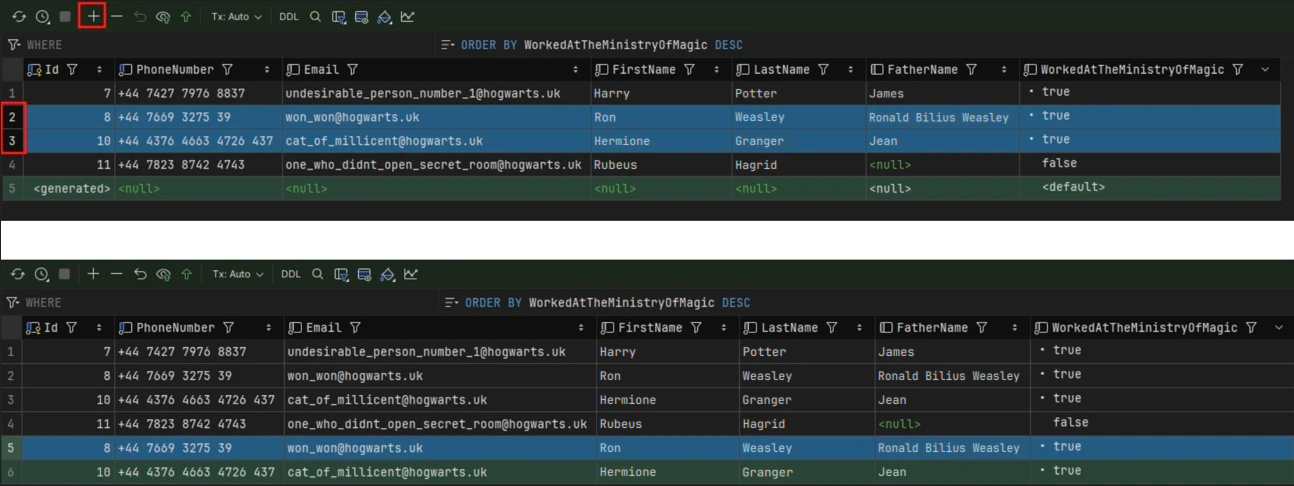
Copying and pasting rows. You can copy one or more rows and paste them as new records, and all values will land in the right columns automatically.
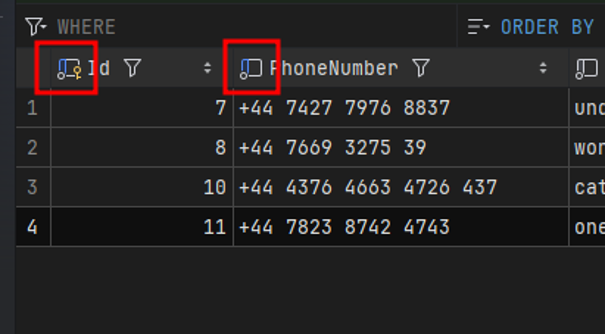
Hints for `DEFAULT` values and keys. The IDE shows where auto-increment is used and where `DEFAULT` values are defined, which lowers the risk of mistakes when you edit data by hand.
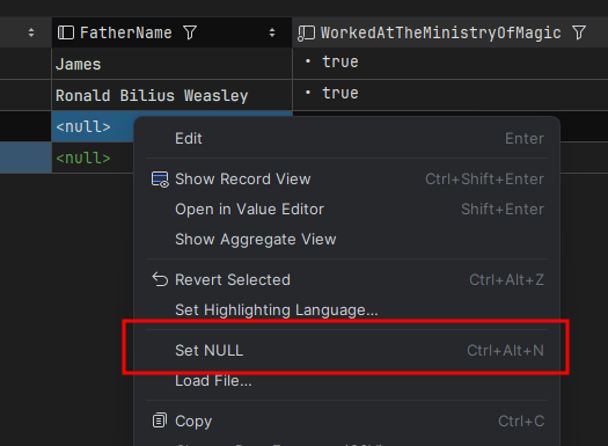
Handling `NULL`. Rider clearly distinguishes between the string “null” and an actual `NULL` value.
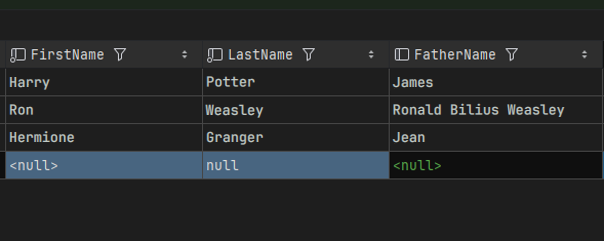
There’s also a convenient “Set NULL” option for nullable fields.
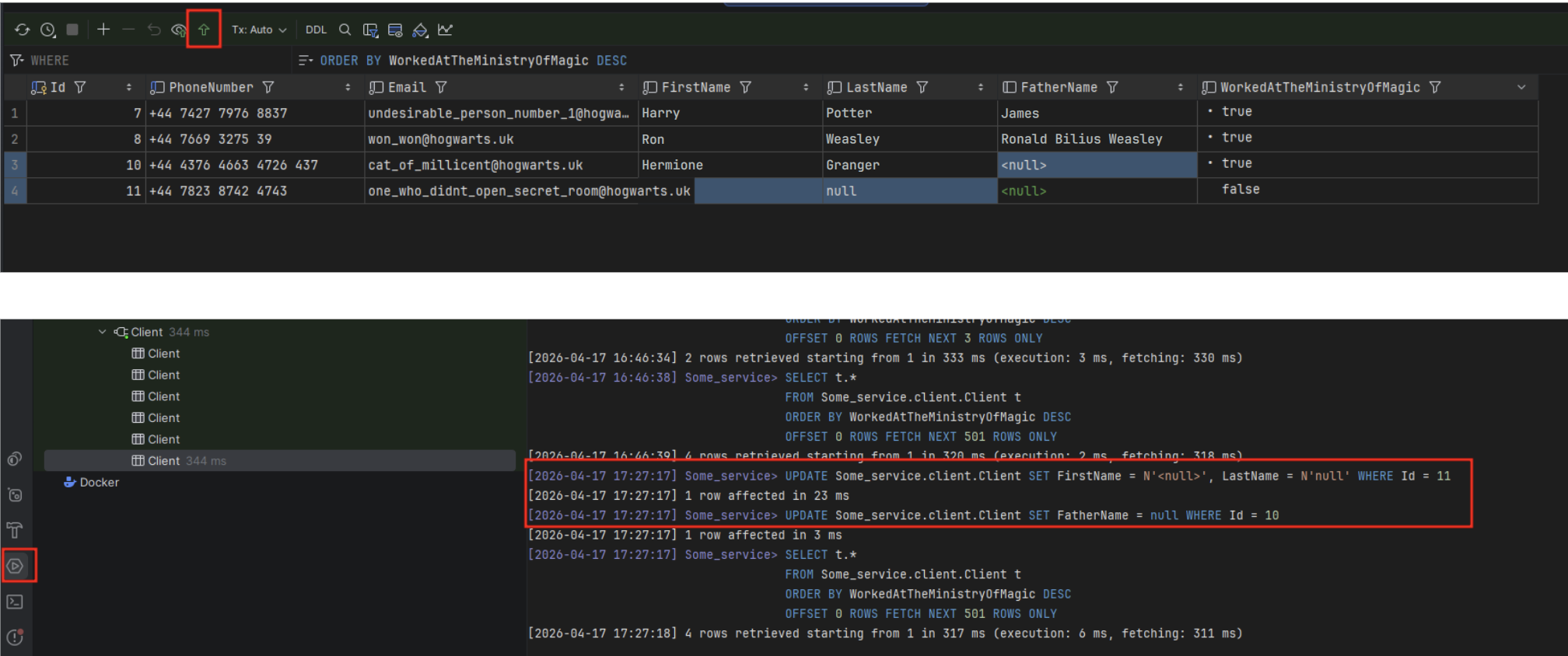
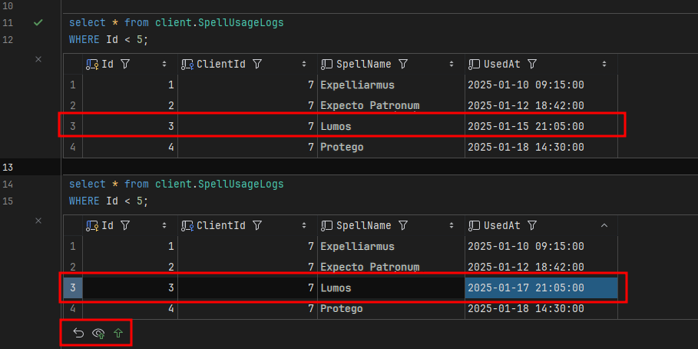
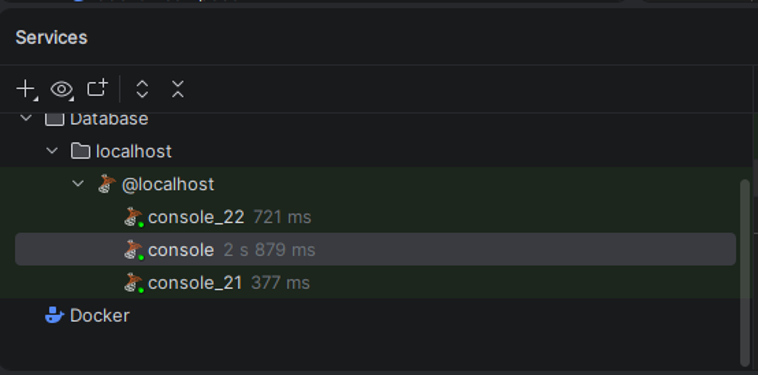
Previewing changes. By default, changes aren’t sent to the database right away. All `UPDATE`, `INSERT`, and `DELETE` operations are collected in a preview, where you can either apply them all or roll them back. On top of that, the IDE logs every change in the “Services” panel, which is useful for auditing.
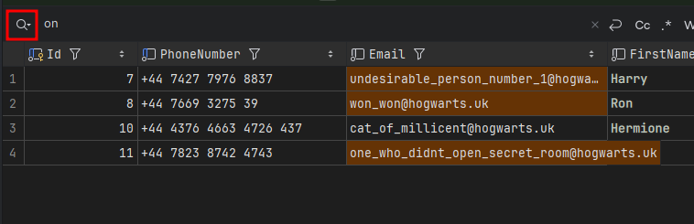
Search within the page. Press “Ctrl + F” to quickly find values in the current selection.
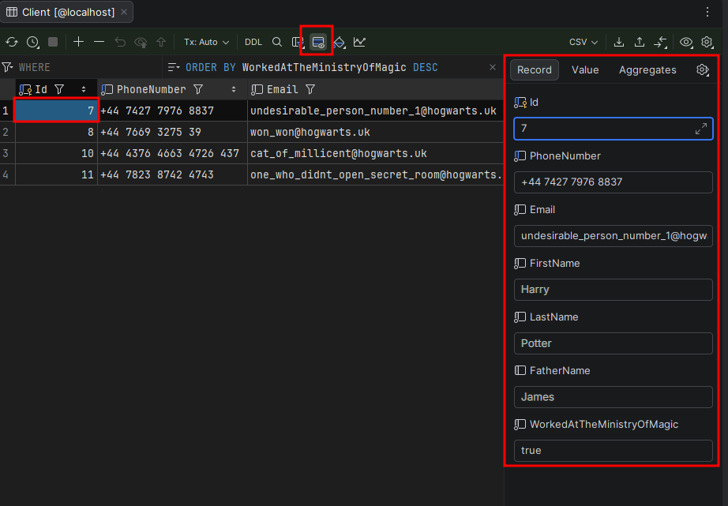
Record View. An alternative way to display rows: the data is shown in a compact, readable form, along with summary statistics for the values.
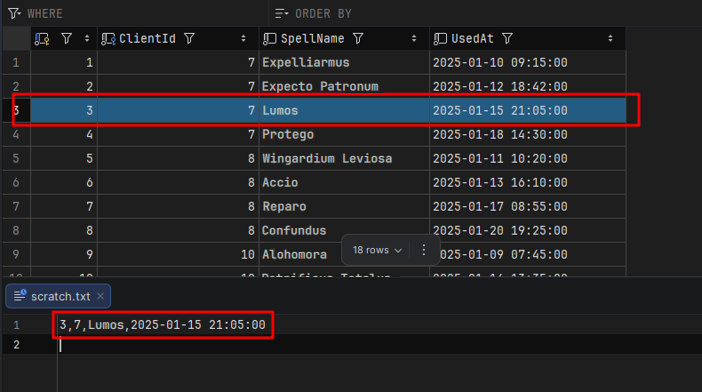
One-row copy. This one is a real game-changer: values copied from a single column are automatically turned into a ready-to-paste list, and dates are even wrapped in quotes. It saves a lot of time when you need to check related data.
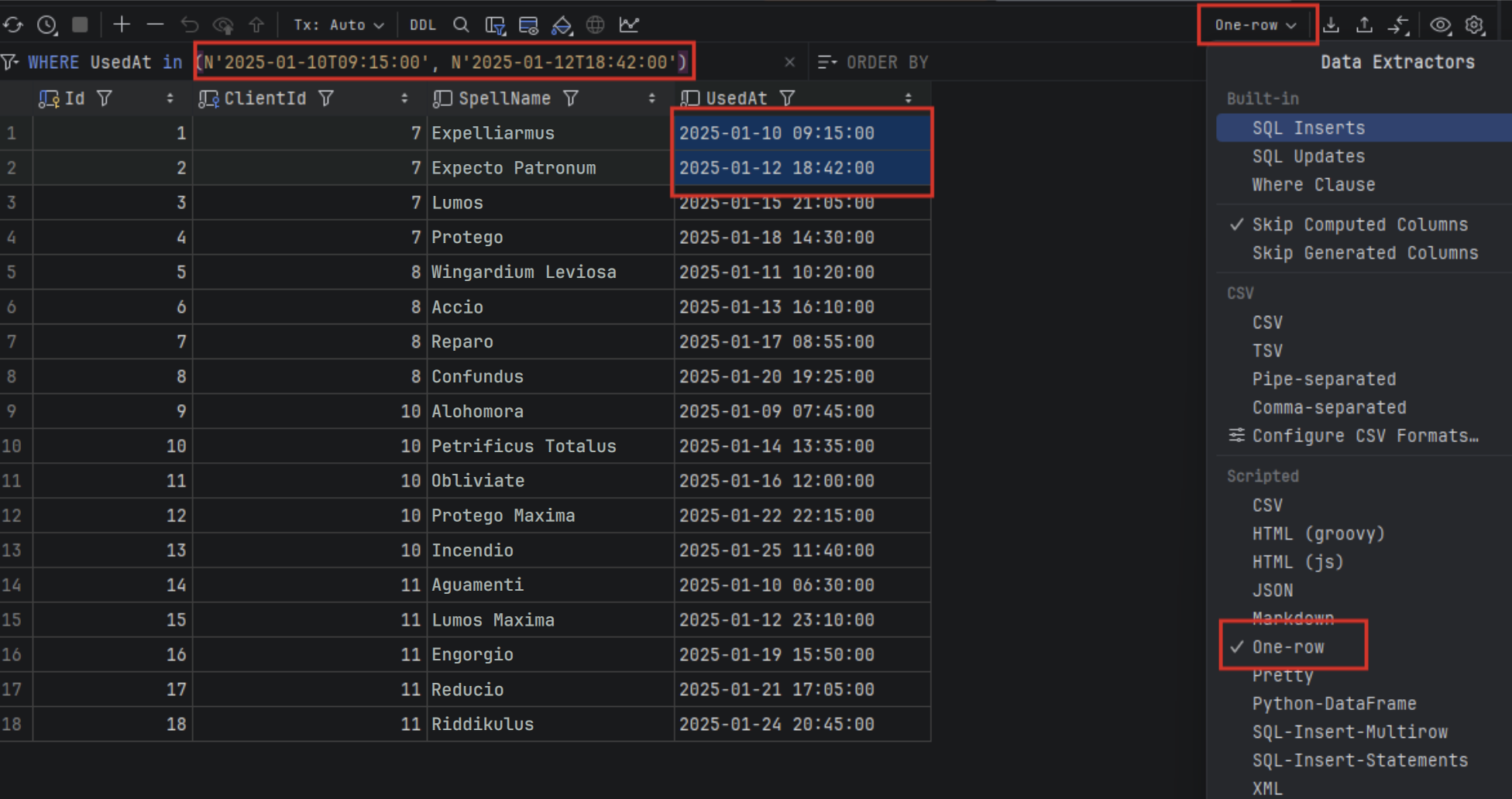
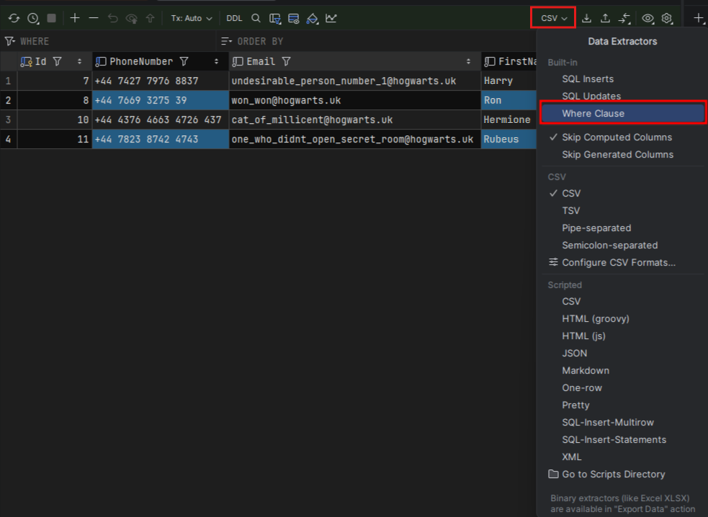
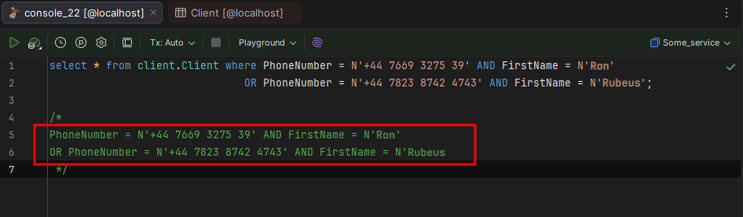
Where Clause. If you choose the “Where Clause” format, Rider generates a `WHERE` expression from the selected cells.
Navigating via foreign keys. Click a cell that holds a foreign key (FK),press F4, and Rider opens the referenced table with the right `WHERE` clause already applied. A must-have if you often jump between related data.
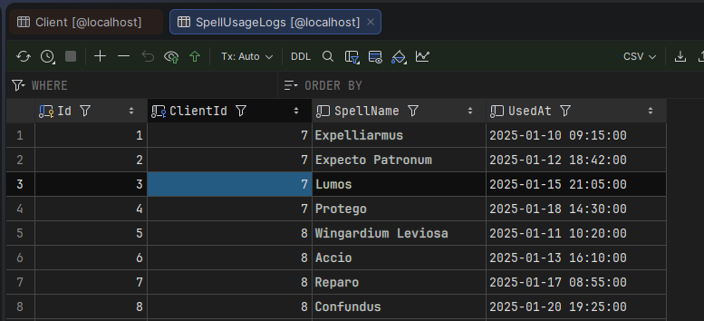
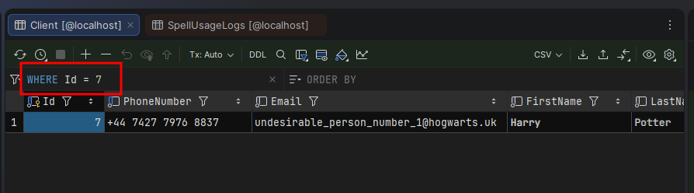
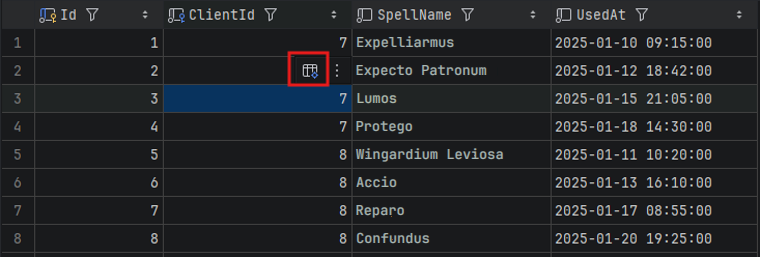
You can also do this without the keyboard: when you click a cell, a navigation icon appears next to it.
Flexible column layout. You can hide columns or rearrange them, and the layout stays until you close the tab. A small thing, but it makes working with data much easier.
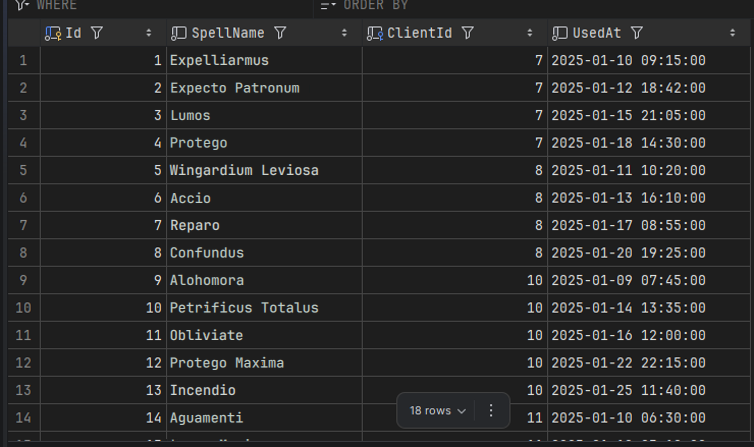
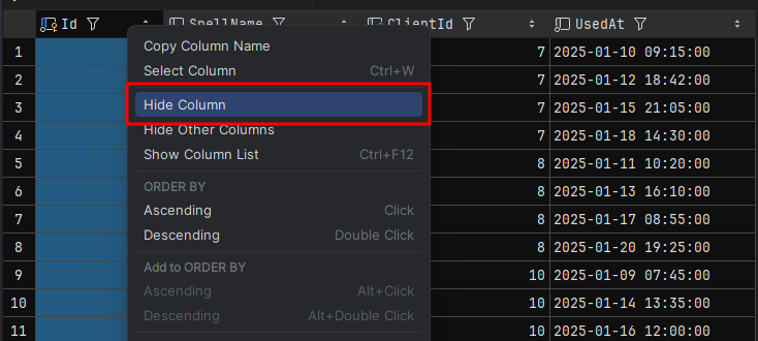
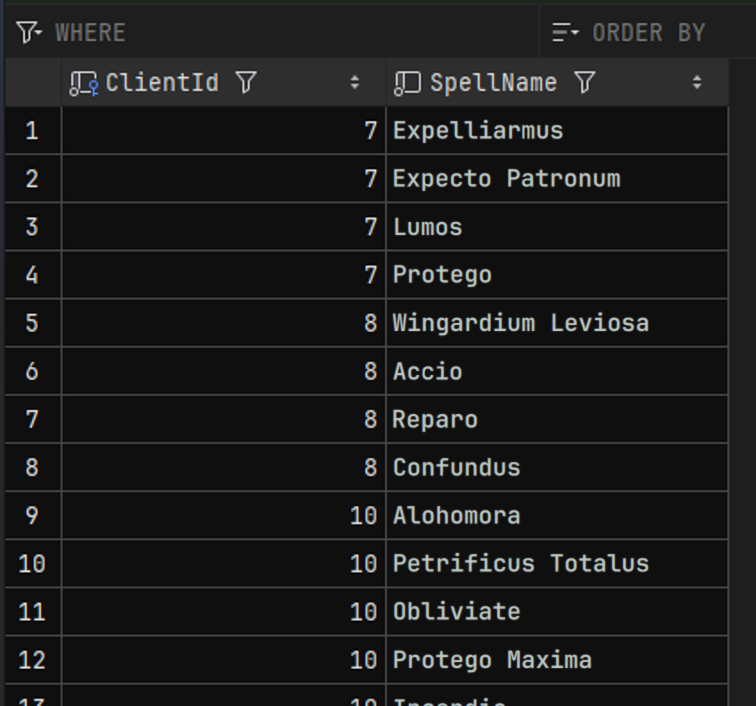
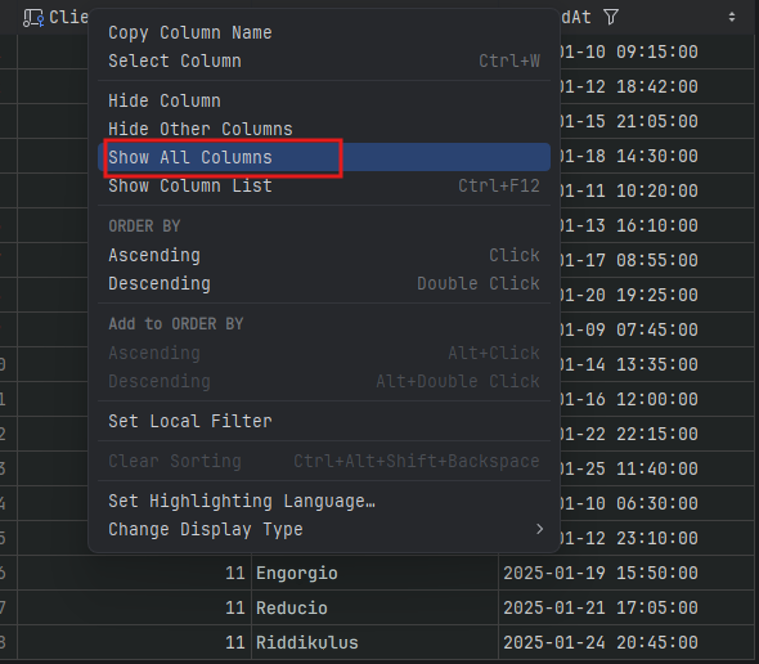
To bring hidden columns back, open the menu of any column and select “Show All Columns”.
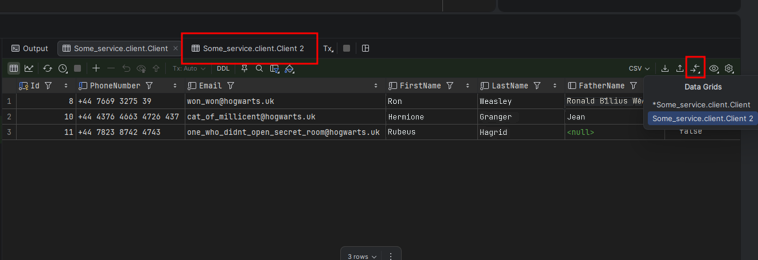
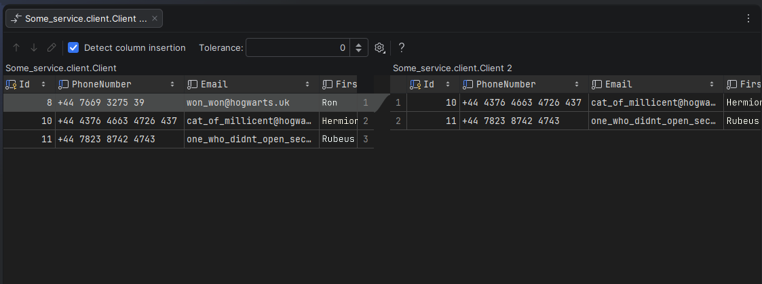
Comparing tables. If you open the same table in two tabs, Rider can compare them (though only within the currently loaded page).
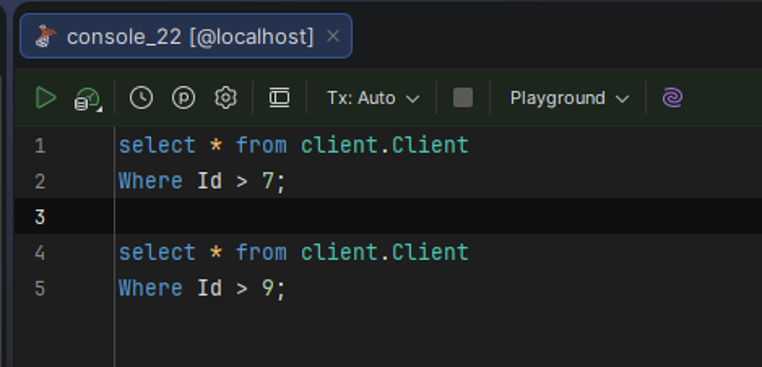
The SQL console in Rider is a fully fledged tool with plenty of features that save you time.
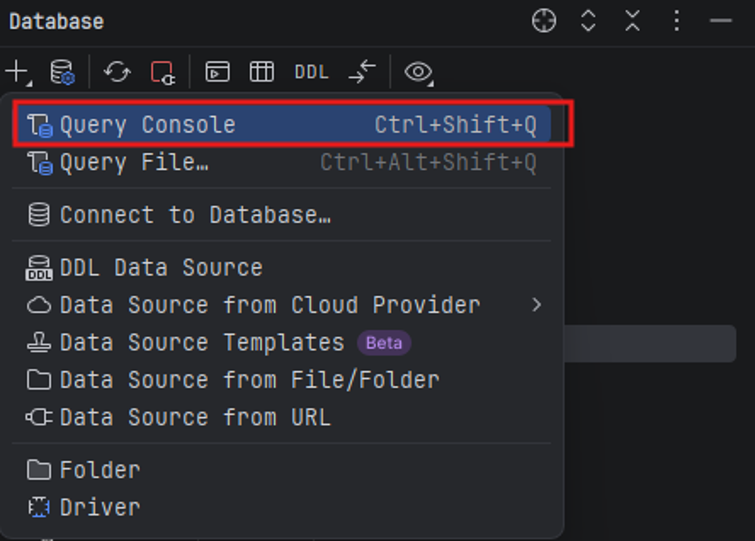
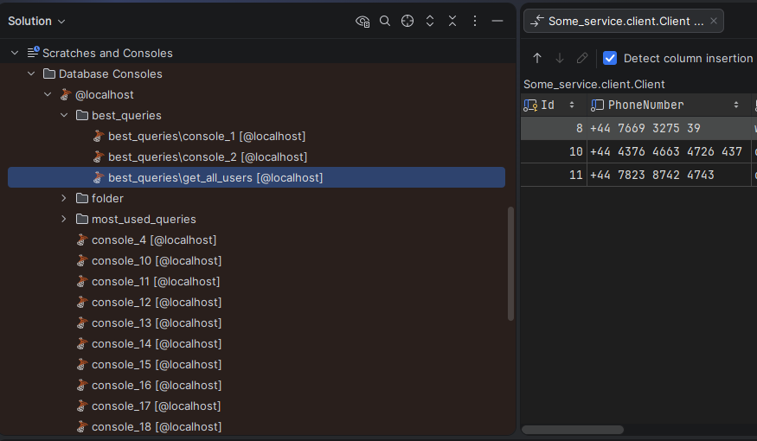
Query consoles. You can create as many consoles as you like, give them names (e.g., “useful scripts” or “bug debugging”), and keep them locally.Basically, they work as your personal notebooks. They’re stored in a system folder but are always easy to reach from your project.
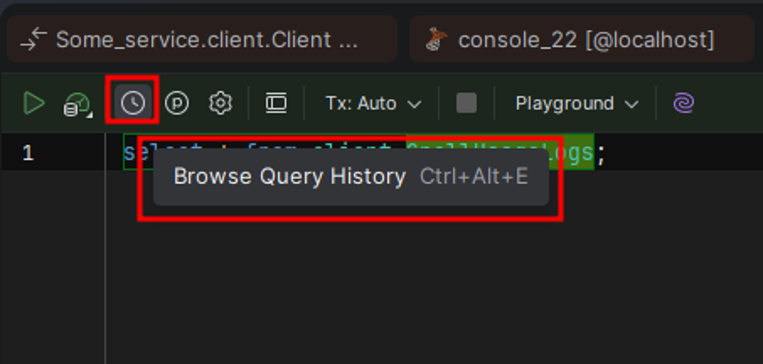
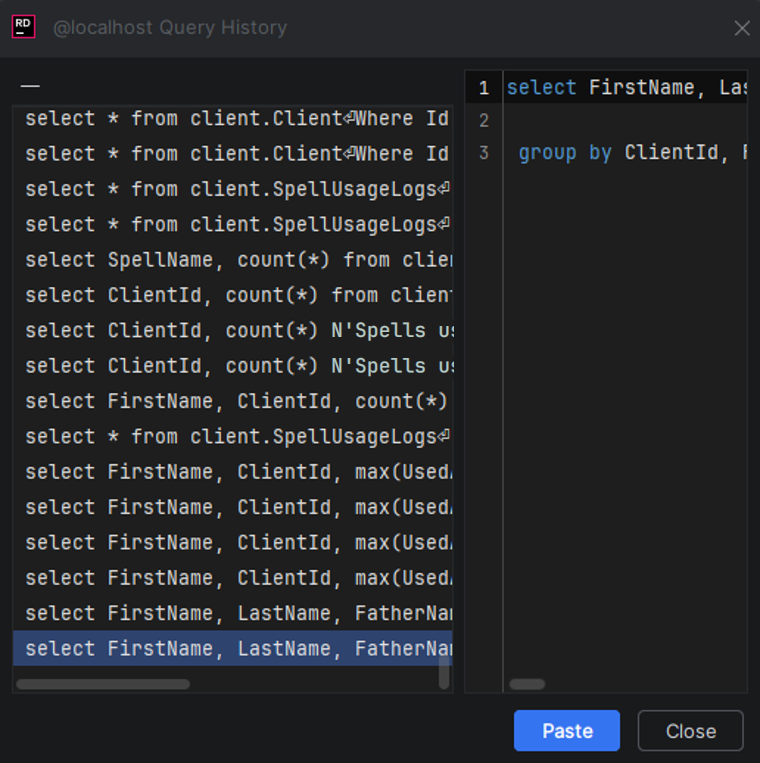
Query history. Rider remembers everything you’ve run. Need a query from last week? Just open the history and find it. It even deduplicates entries, so the same query isn’t saved twice.
Execution context. You don’t have to select a query before running it: just put the cursor inside it and press “Ctrl + Enter”, and Rider will figure out what to run. You can also change this behavior, for example, so that “Ctrl+ Enter” runs the current statement and “Ctrl + Shift + Enter” runs the whole script.
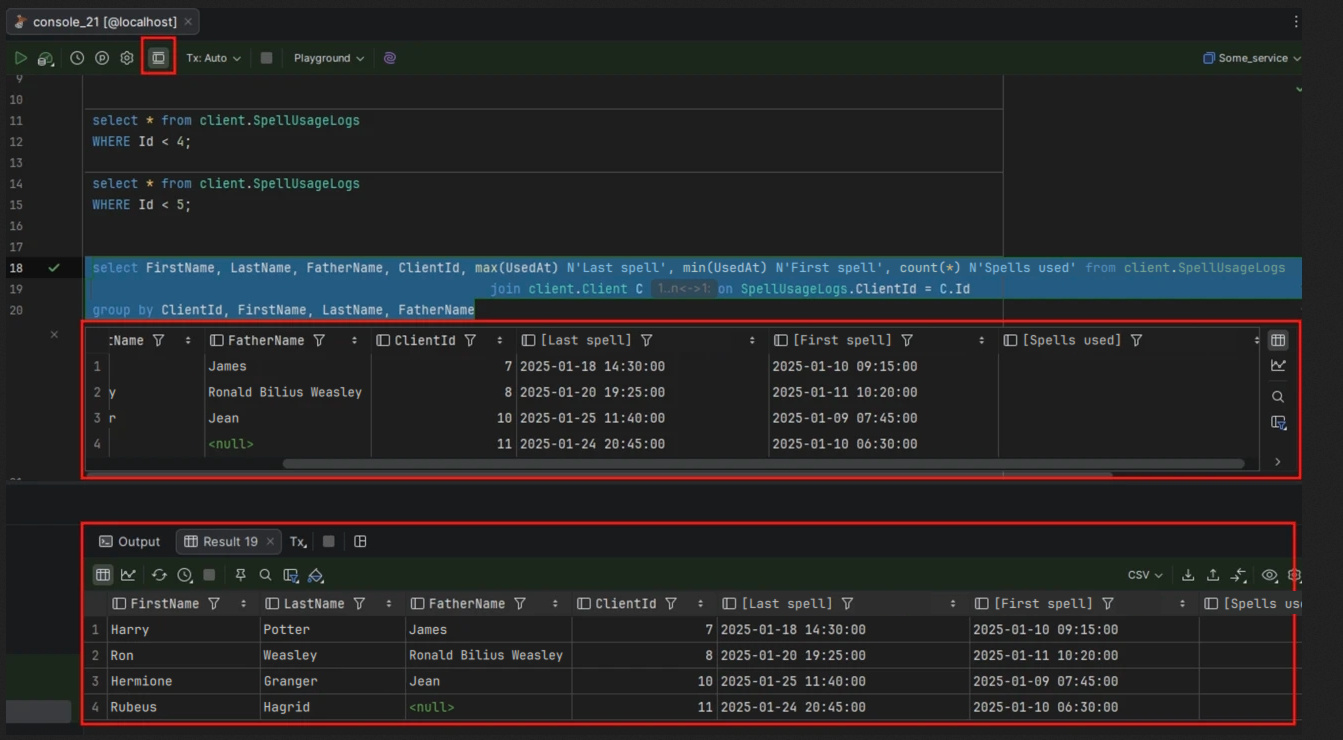
Flexible output display. There are two modes:
– at the bottom, in a separate “Services” tab (like in most familiar clients);
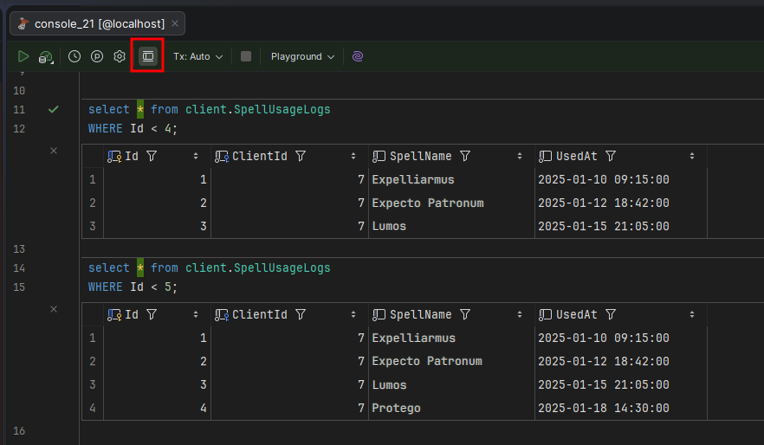
– or right in the editor (inline), where you can even show several result tables side by side.
The second mode is handy for comparing datasets.
Editing results. You can change data directly in the grid under your query. All changes are tracked and logged.
Timings. Rider shows how long each query took, so you can quickly spot potential bottlenecks.
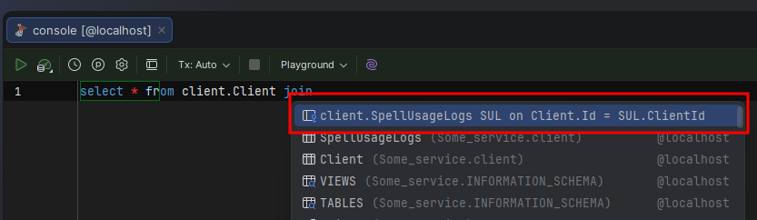
IntelliSense. Rider suggests not only table and column names but can also insert whole `JOIN` clauses based on foreign keys. You can also expand all the fields of a table in one click, even with joins, without worrying about name conflicts.
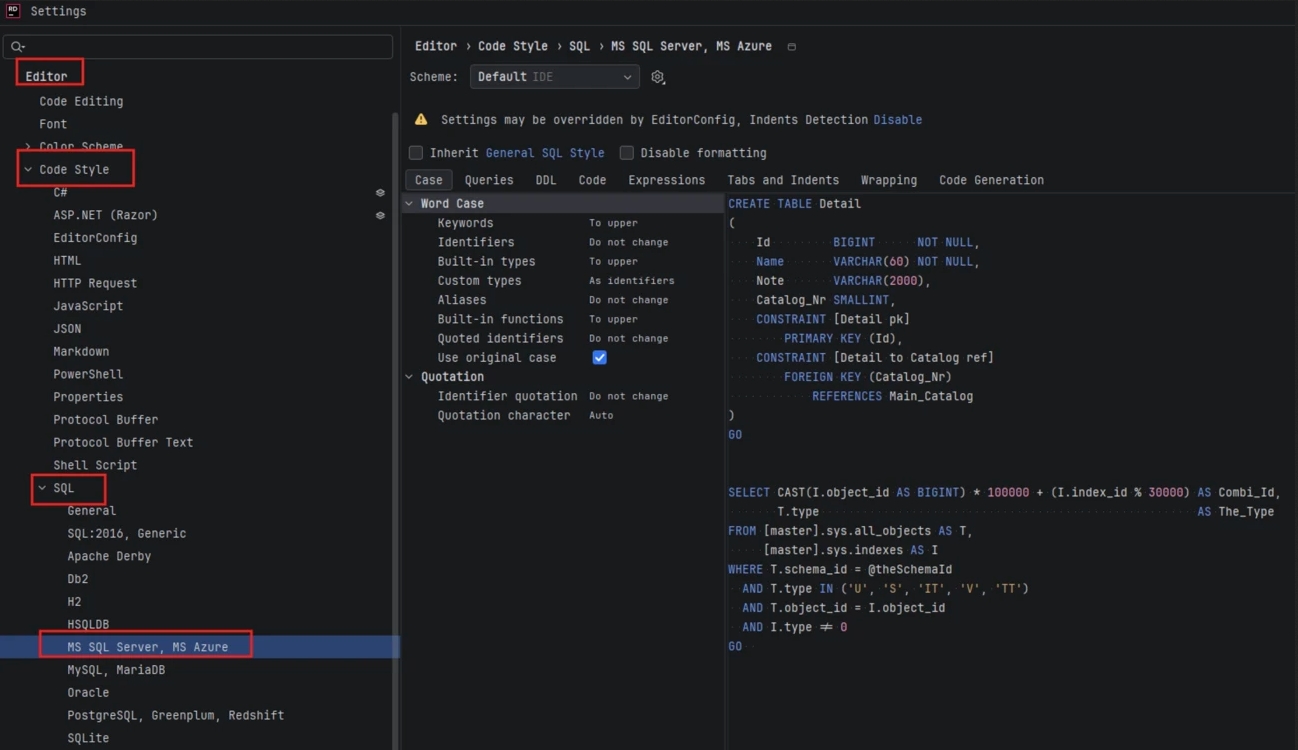
Formatting. You can set up a separate code style for each DBMS:indentation, keyword case, line breaks, and so on. To format any query, press“Ctrl + Alt + L”. A nice touch is that the settings page includes a sample SQL script, so you can see the result in real time.
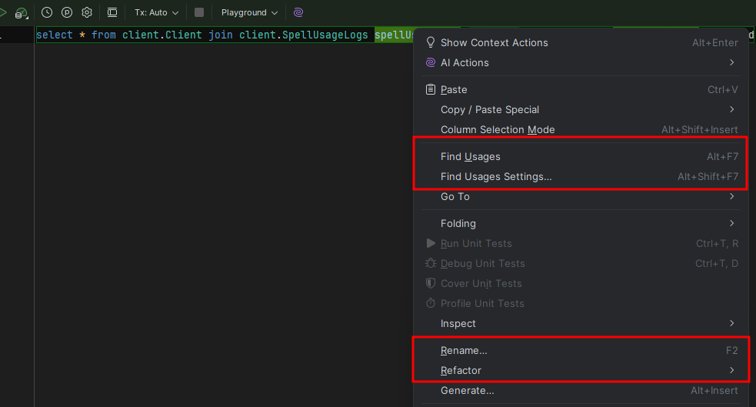
Multi-cursor editing, Find Usages, and Rename all work here just like in regular code. You can rename a variable or a table across the whole script with a single command.
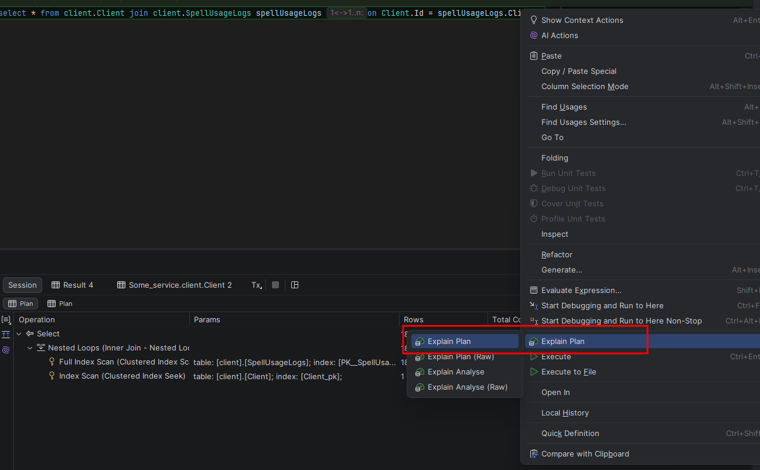
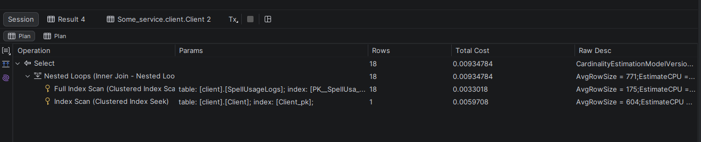
Explain Plan. Rider builds both text and graphical execution plans. You can see seek/scan operations, which indexes are used, and the cost of each step. The diagram is interactive, so you can drag blocks around and explore its structure.
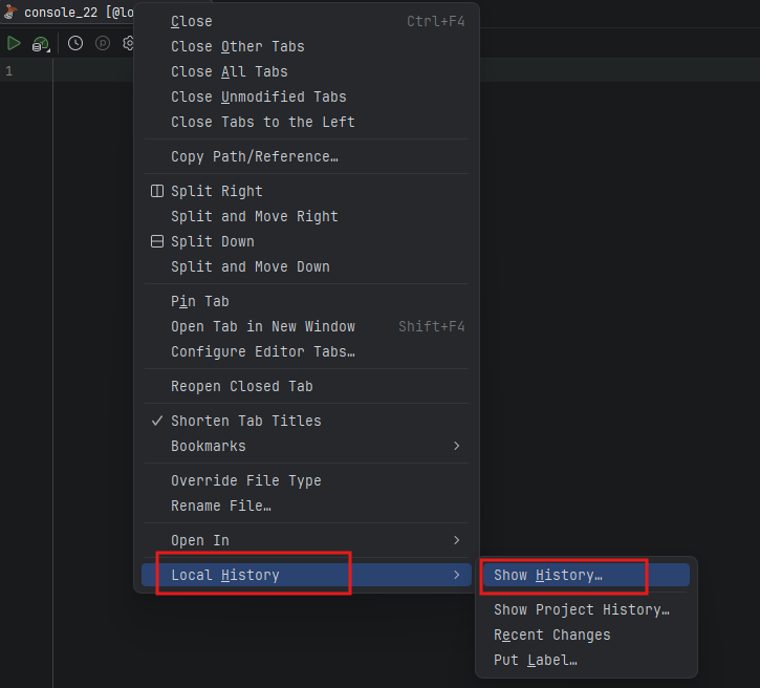
Local history of script changes. Even if you’ve completely rewritten a script, Rider keeps its previous versions inside the IDE. If you’ve gone through several iterations and realize an earlier one was better, there’s no need to rack your brain trying to remember it. Just roll back to any previous state.
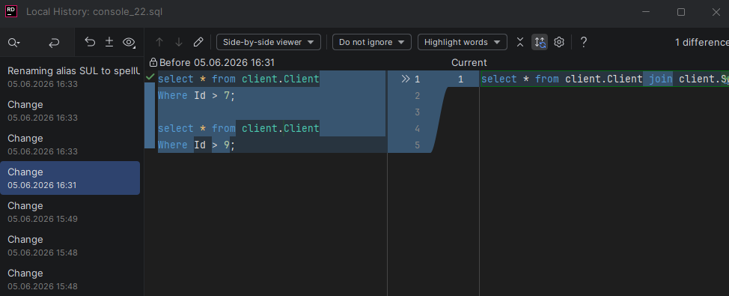
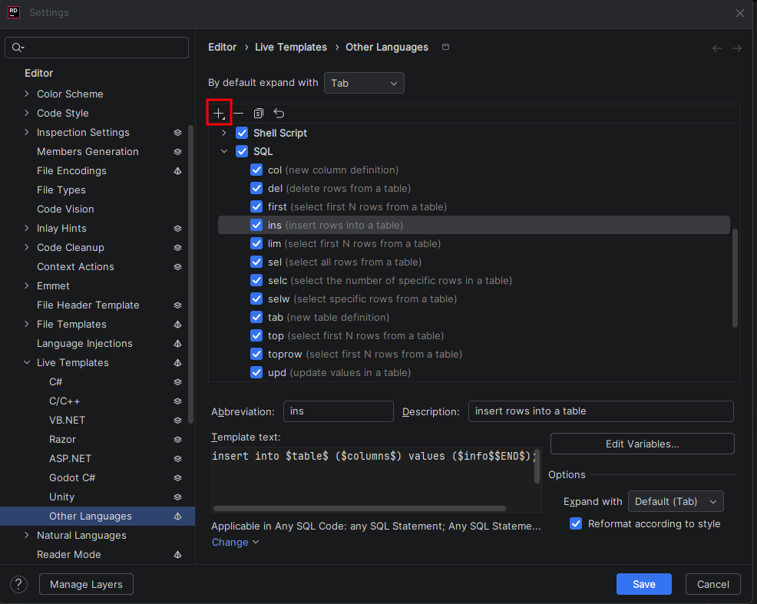
Live Templates and Generate. You can create templates for constructs you use a lot (like a `SELECT` statement or a function definition) and insert them with a shortcut.
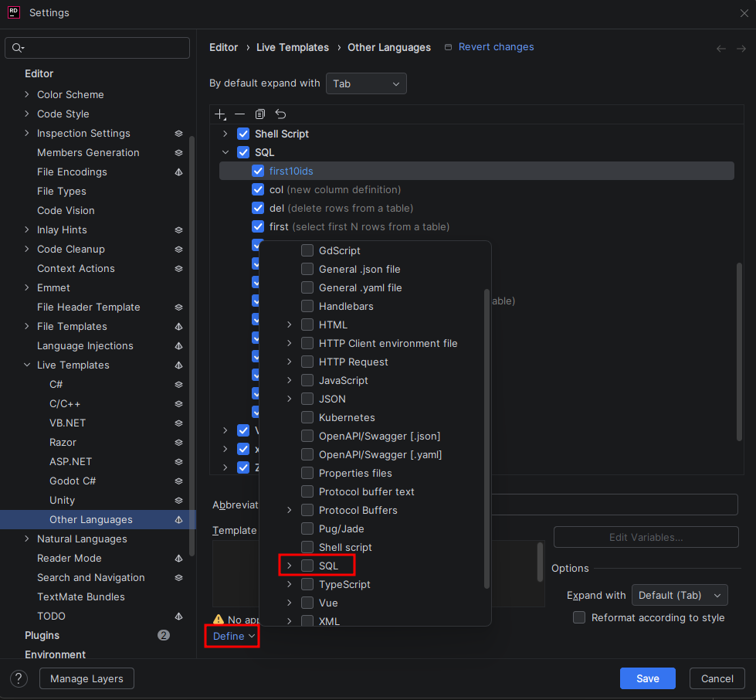
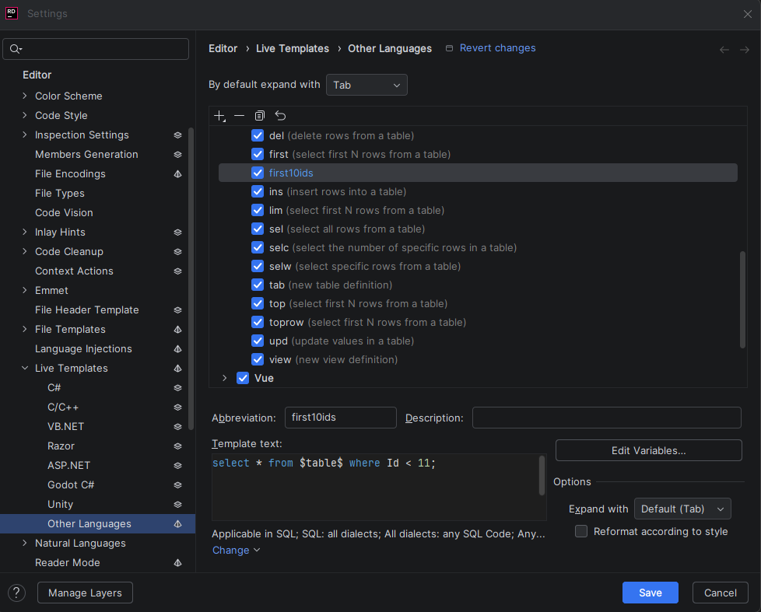
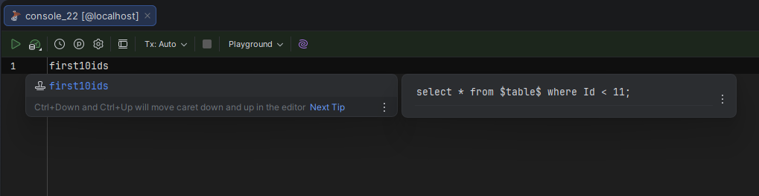
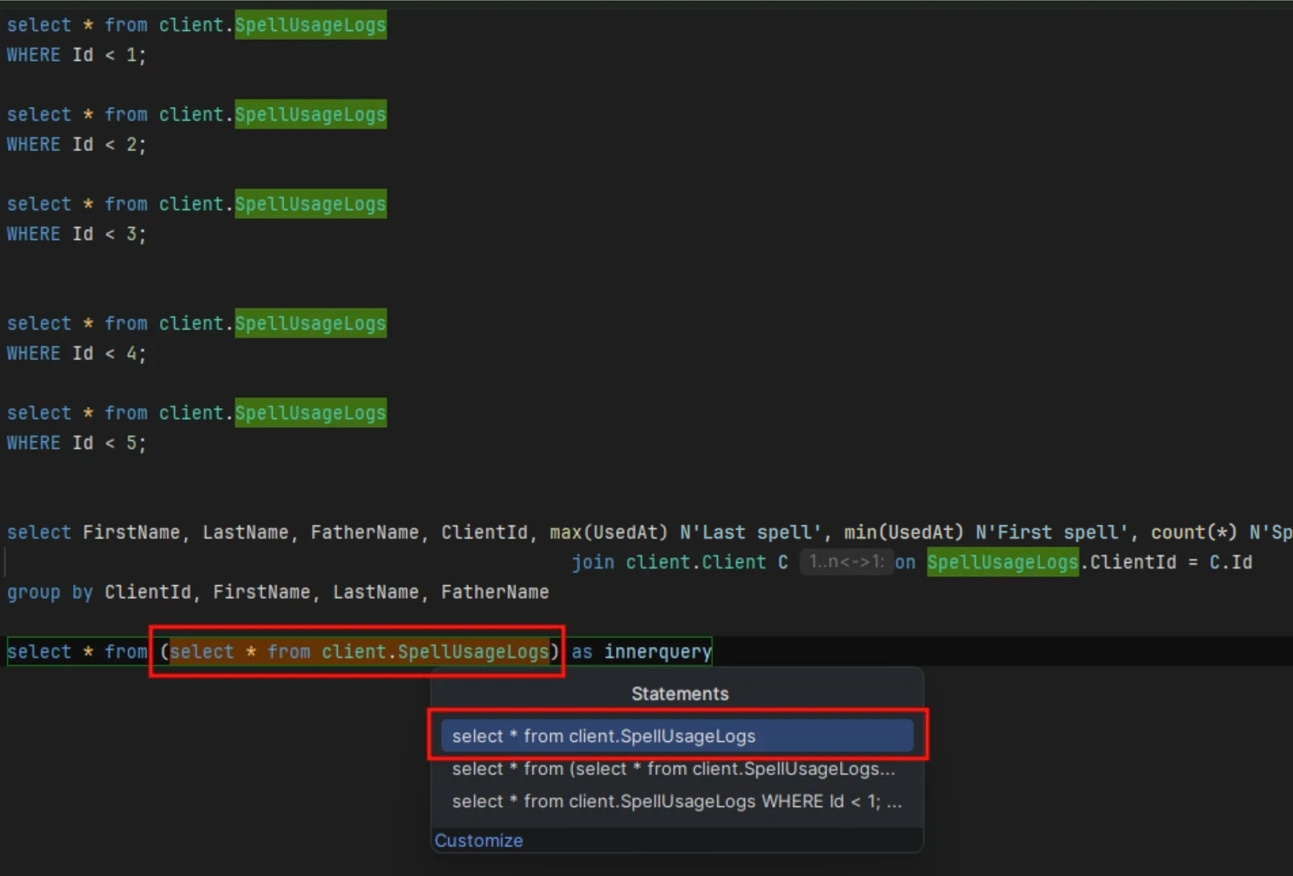
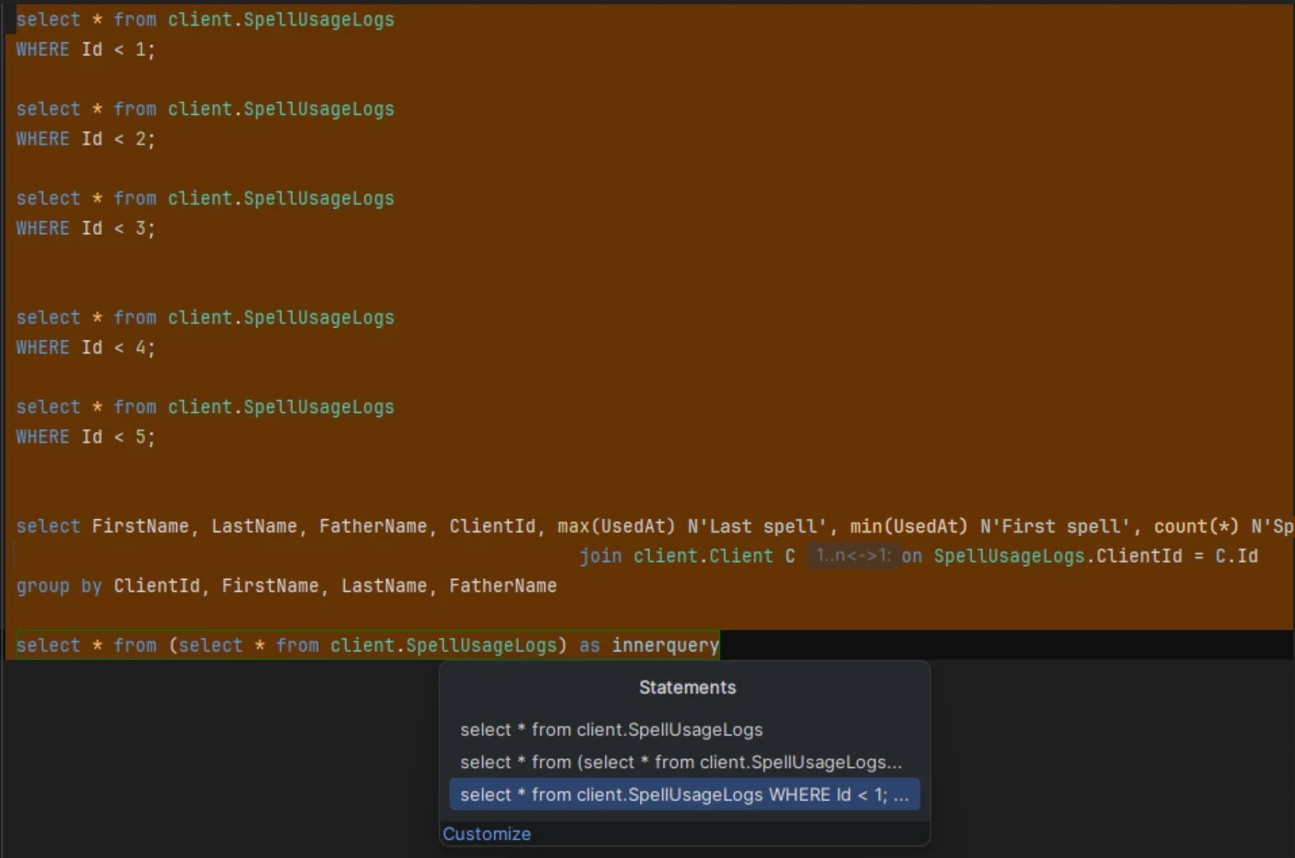
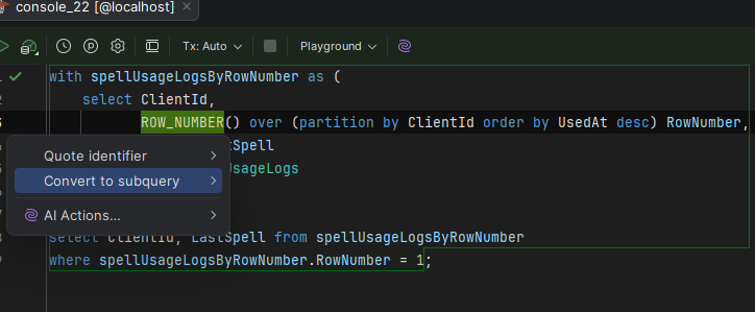
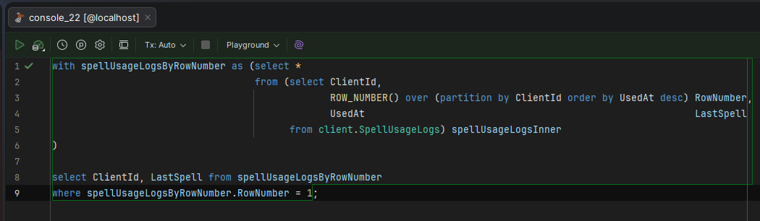
Convert to subquery. A handy one: select a query, press “Alt + Enter”, and Rider wraps it in a subquery. Especially useful when you work with window functions.
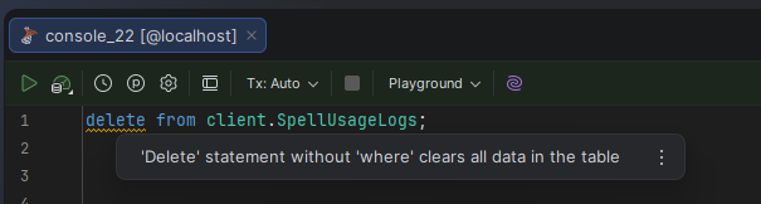
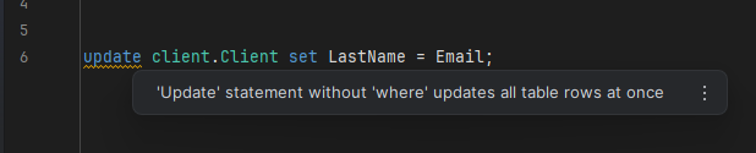
Warnings for dangerous queries. By default, Rider warns you when you run an UPDATE or DELETE without a WHERE clause. That said, in my tests it didn’t always fire. Most likely, it depends on the specific settings.
When working with queries, you sometimes need to know which queries yourapplication actually sends to the database, how heavy they are, and where thebottlenecks are. Rider gives you a few ways to find out.
Logging Queries via the Application
The classic approach is to create a separate launch configuration (e.g.,one just for logging) and set up SQL query logging with Serilog or another logging library. In this mode, you see every query the service runs and can compare its behavior before and after your changes. You shouldn’t keep it on all the time, but for debugging or performance analysis it works perfectly.
Built-in Monitoring (Like a Mini-Prometheus)
Recent versions of Rider come with a new tool for real-time monitoring:
· It shows system metrics such as CPU usage, garbage collection (GC) activity, and memory consumption.
· You can see SQL-related counters, for example, the number of `SaveChanges` calls, which queries were executed, and the total number of queries.
· It also gives you basic metrics on memory and the environment.
Keep in mind that working with databases in Rider does use system resources. If you remove the paging limits and try to load millions of rows onto one page, the IDE will eat memory like crazy. So it’s best to stick with the default limits or raise them carefully.
Overall, resource usage is about the same as with other tools. DBeaver may seem lighter in heavy scenarios, but in everyday use the difference is negligible. If needed, you can increase the heap size allocated to Rider (for example, from 2 GB to 4 GB), and that usually solves the problem.
For all its features, Rider still can’t do everything that specialized database clients can:
· there’s no full-fledged Activity Monitor like the one in SSMS;
· you can’t always see the full list of server-level objects (e.g., database users).
Still, for a developer’s everyday tasks, from viewing and editing data to writing and profiling queries, it’s more than enough.
Rider started out as a .NET IDE, but it has grown into a powerful database tool that can replace a whole set of separate utilities. If you haven’t tried it yet, now is a good time to open the Database settings and discover the “dark side of the Force”.

It's easy to start working with us. Just fill the brief or call us.


Tatiana Golovacheva
My name is Tatiana, and I'm the Client Services Director at ByteMinds. Today, I'd like to share my thoughts and insights on communication, shaped by years of experience.

Anna Bastron
It lurks in every project older than a year: the code that defies logic. The instinct is to judge. But what if that instinct is holding your team back? At Umbraco Codegarden, I presented a simple yet powerful reframe: instead of asking "Who did this?", ask "What did they know back then?" The insight you gain might just save your next project.

Vladislav Bodin
The tech industry is shifting drastically, fueling both opportunity and anxiety, but the real first step is to conquer fear and embrace change not just learn new skills. Clear thinking comes before any career move.

Yakov Shevcov
In this article, I want to share not just impressions, but real experience of "surviving" in a commercial project. This is an honest story of what to be prepared for if you're looking for your first job.

Liya Vasilkova
In this article, I'll show you how to leverage the full power of AI assistants in the design implementation process, using the duo of Cursor IDE and an MCP Server as an example.
Dmitry Berdnikov
In this article, we'll break down two key stages: first, we'll create a repository for email templating, and then we'll configure local test sending via SMTP.

Vasil Khamidullin
This article will help you understand gRPC basics, how it differs from REST, the structure of .proto files, and most importantly- how to test gRPC services using Postman.

Bair Ochirov
In this article, I will briefly answer questions about why the CORS policy was created, how it works, why a simple action like "setting a header on the backend" might not be enough, and what secure patterns to choose for the frontend.
Dmitry Simonov
So, it's been a year since the last article, and a lot has changed. In this one, we're going to talk about integrating with Mock Service Worker (MSW).

Dmitry Bastron
Performance is not a feature to add later, but a core requirement as vital as security. This guide provides a structured approach to building performance into your web services from the start, ensuring they are fast and scalable by design.

Andrey Stepanov
This quick guide helps you define clear objectives and track progress effectively—ensuring every milestone counts.
Andrey Stepanov
A digital product isn’t just about features or design—it’s about teamwork. In this article, we break down the essential roles in digital product development.
Andrey Stepanov
Essential tips for creating a development team that works toward product goals, not just tasks.
Dmitry Bastron
Hi, my name is Dmitry Bastron, and I am the Head of Development at ByteMinds. Today, I’d like to share how I achieved Kentico MVP status, why I chose this CMS, and what it takes to follow the same path and earn the coveted MVP badge.
Maria Serebrovskaya
Hello! My name is Maria, and I am a team lead and backend developer at ByteMinds. In this article, I will share my experience: I’ll explain how to understand a complex project, establish processes, and make it feel like "your own".
Dmitry Simonov
In this article, we’ll take a look at how you can start testing Vue components.
Dmitry Bastron
This article is a cheat sheet to inspect what's going on with the imported data by Xperience by Kentico Migration Toolkit, resolve some CI/CD issues, and on many other occasions!
Anna Bastron
Let's try to understand how the ADM module works, its limitations, and tactics for optimising its performance.
Dmitry Bastron
The more mature Xperience by Kentico products become, the more often I hear "How can we migrate there?”
Andrey Stepanov
In this article, we will touch on where to start designing the architecture and how to make sure that you don’t have to redo it during the process.

Anton Vorotyncev
Today, we will talk about assessing algorithm complexity and clearly demonstrate how this complexity affects the performance of the code.
Tatiana Golovacheva
The development market today feels like a race - each lap is quicker, and one wrong move can cost you. In this race, excellent client service can either add extra points or lead to a loss due to high competition.
Dmitry Bastron
Ensuring security during development is crucial, especially as online and e-commerce services become more complex. To mitigate risks, we train developers in web security basics and regularly perform third-party penetration testing before launch.
Anna Bastron
In my previous article, I shared a comprehensive troubleshooting guide for Sitecore XM Cloud tracking and personalisation. This article visualises what happens behind the scenes when you enable personalisation and tracking in your Sitecore XM Cloud applications.

Sergei Pestov
All the text and examples in this article refer to Next.js 13.4 and newer versions, in which React Server Components have gained stable status and become the recommended approach for developing applications using Next.js.
Anton Vorotyncev
Imagine you have a solution to a problem or a task, and now you need to evaluate the optimality of this solution from a performance perspective.

Artyom Chernenko
Let's talk about how to organize the interaction of microservices in a large, long-lived product, both synchronously and asynchronously.
Dmitry Berdnikov
We suggest using a special editor to immediately check each example while reading the article. This editor is convenient because you can switch the TypeScript version in it.
Anna Gevel
One of the first things I tested in Sitecore XM Cloud was embedded tracking and personalisation capabilities. It has been really interesting to see what is available out-of-the-box, how much flexibility XM Cloud offers to marketing teams, and what is required from developers to set it up.
Dmitry Bastron
We will take you on a journey through a real-life scenario of implementing advanced tracking and analytics using Kentico Xperience 13 DXP.

Anastasia Medvedeva
Kentico stands as one of our principal development tools. We believe it would be fitting to address why we opt to work with Kentico and why we allocate substantial time to cultivating our experts in this DXP.
Anna Gevel
As a software development company, we at Byteminds truly believe that learning and sharing knowledge is one of the best ways of growing technical expertise.
Anastasia Medvedeva
Our expertise spans full-scale builds and support to upgrades and replatforming.
Sergei Pestov
How to stop the decline of the performance indicators of your e-commerce website and perform optimise page load performance.
Dmitry Bastron
We would like to share our experience of integrating Sitecore 9.3 with Azure AD B2C (Azure Active Directory Business to Consumer) user management system.
We'll consider the top-to-bottom approach for modeling content relationships, as it is more user-friendly for content editors working in the Kontent.ai admin interface.
Andrey Stepanov
All you need to know about Headless CMS. We also share knowledge about the benefits of Headless CMS, its pros and cons.
Fedor Kiselev
Let's talk about what enterprise development is, what nuances enterprise projects may have, and which skills you need to acquire to successfully work within the .NET stack.
Andrey Stepanov
We will explain how these agreements differ from one another and what projects they are suitable for.
Anna Gevel
We've collected various findings around decision models and programmable nodes working with Sitecore Personalize.
Anastasia Medvedeva
Our team boasts several developers experienced in working with Umbraco, specialising in development, upgrading, and replatforming from other CMSs to Umbraco.
Anastasia Medvedeva
Since 2015, we've been harnessing Kentico's capabilities well beyond its core CMS functions.
Egor Yaroslavcev
Chrome DevTools serves as a developer console, offering an array of in-browser tools for constructing and debugging websites and applications.
Dmitry Bastron
We'll dive into practical implementation in your Xperience by Kentico project. We'll guide you through setting up a custom activity type and show you how to log visitor activities effectively.